About the project

Family Track: parental control in which your child earns screen time by learning

Family Track is parental control for Android in which your child earns screen time by learning: with lessons from the school curriculum, reading aloud and exercises. The minutes are credited by the app, not by the parent. The children's app inlo is installed on a child's phone with Android 8 or newer, and since 14.10.2026 also on iPhone (lessons, minutes, chat, call and map, and since 19.10.2026 also locking through Screen Time); the parent manages everything from the Family Track app for Android or iPhone or from the dashboard on the website.

...
Subjects available
1-9
School curriculum grades
10
Types of exercises with the camera
AI
Checking and safety

Try a lesson yourself, without registration

Reading a description is no use: open a real lesson and see how it works from the inside. You get the same screen the child sees, with the same AI tutor (it is a neural network, not a live teacher) and the same speech recognition. Answers and minutes in the demo are for practice: after a day they are deleted and never reach the child's phone. Lessons are currently in Russian only.

🔭

A lesson with the AI tutor

Physics, grade 7, section "Diffusion". Read the section, go through anything unclear with the neural network - it explains step by step and checks whether you understood - and take a closed test. There is no live teacher on the other end.

10-15 minutes · review and test
📐

An algebra lesson with a live graph

Algebra, grade 9, section "Quadratic function". The section has eleven drawings, and you can move the graph yourself: the a, b and c sliders change the branches, the vertex and the roots of the parabola. Then comes a closed test, with some questions about graphs.

10-15 minutes · no microphone
📖

Reading aloud

Tolstoy, "The Kitten". Turn on the microphone and read: the words you have read are highlighted as you go, mistakes are visible right away, and minutes are credited for what you read.

2-3 minutes · microphone needed
✒️

A literature test

10 questions on understanding the text: facts, the characters' motives, the meaning of words and the structure of the story - from simple ones to an analysis of the ending.

5-10 minutes · no microphone

What the platform can do

📚

School curriculum 1-9

Every section of a textbook is a short lesson with a summary and a comprehension test: physics, chemistry, algebra, geometry, history, social studies, Russian language. On a retake the questions change - cramming does not work.

🎙

Reading aloud

The child reads into the microphone, the system recognizes speech and highlights the words read. After reading, a neural network reviews skipped and mispronounced words.

🏃

Exercises with the camera

Squats, push-ups, jumps and other exercises: the camera counts reps by posture and does not count sloppy ones. Sport is converted into minutes just like lessons.

⏱

Reward system

Minutes are credited for lessons, reading, sport and household chores. The child spends what they earned on unlocking the screen according to the parent's rules.

🏦

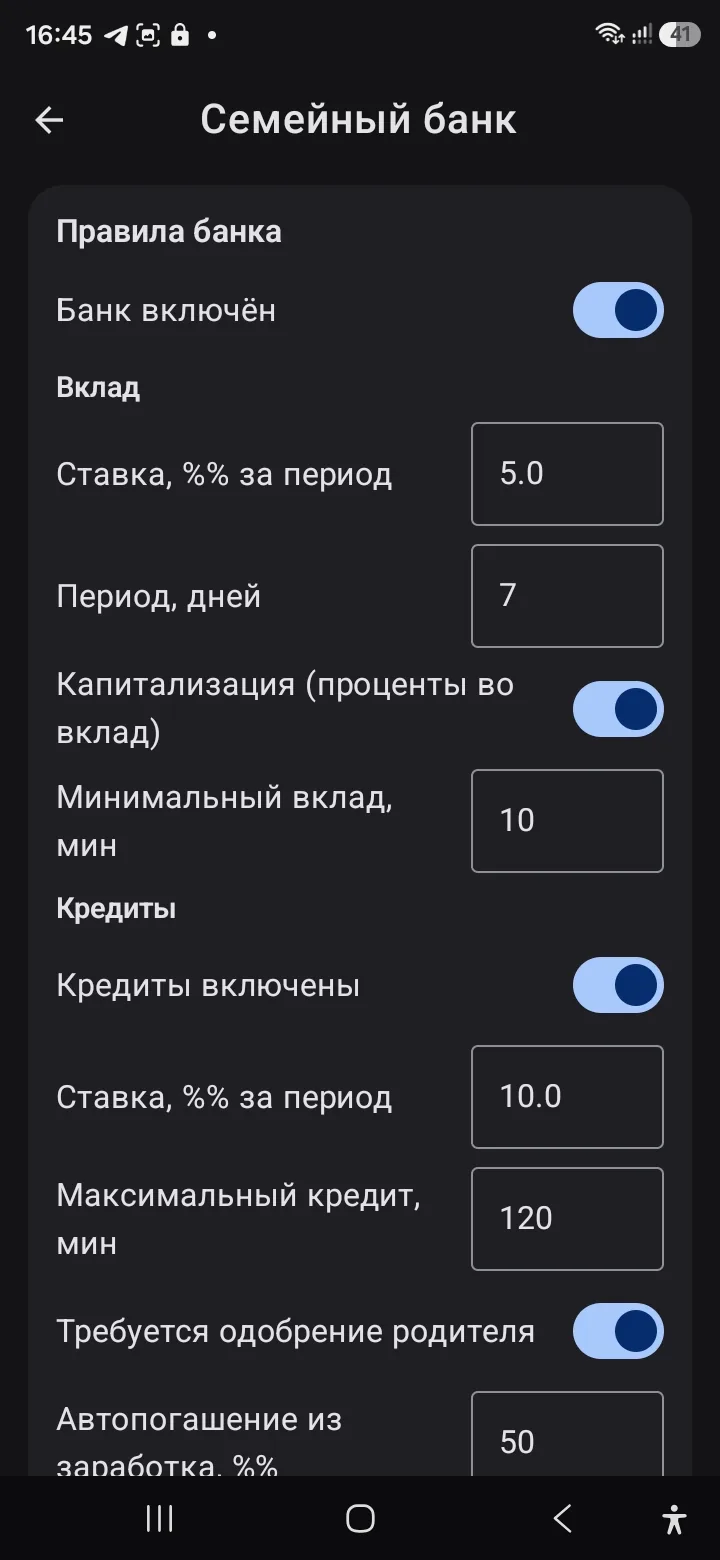
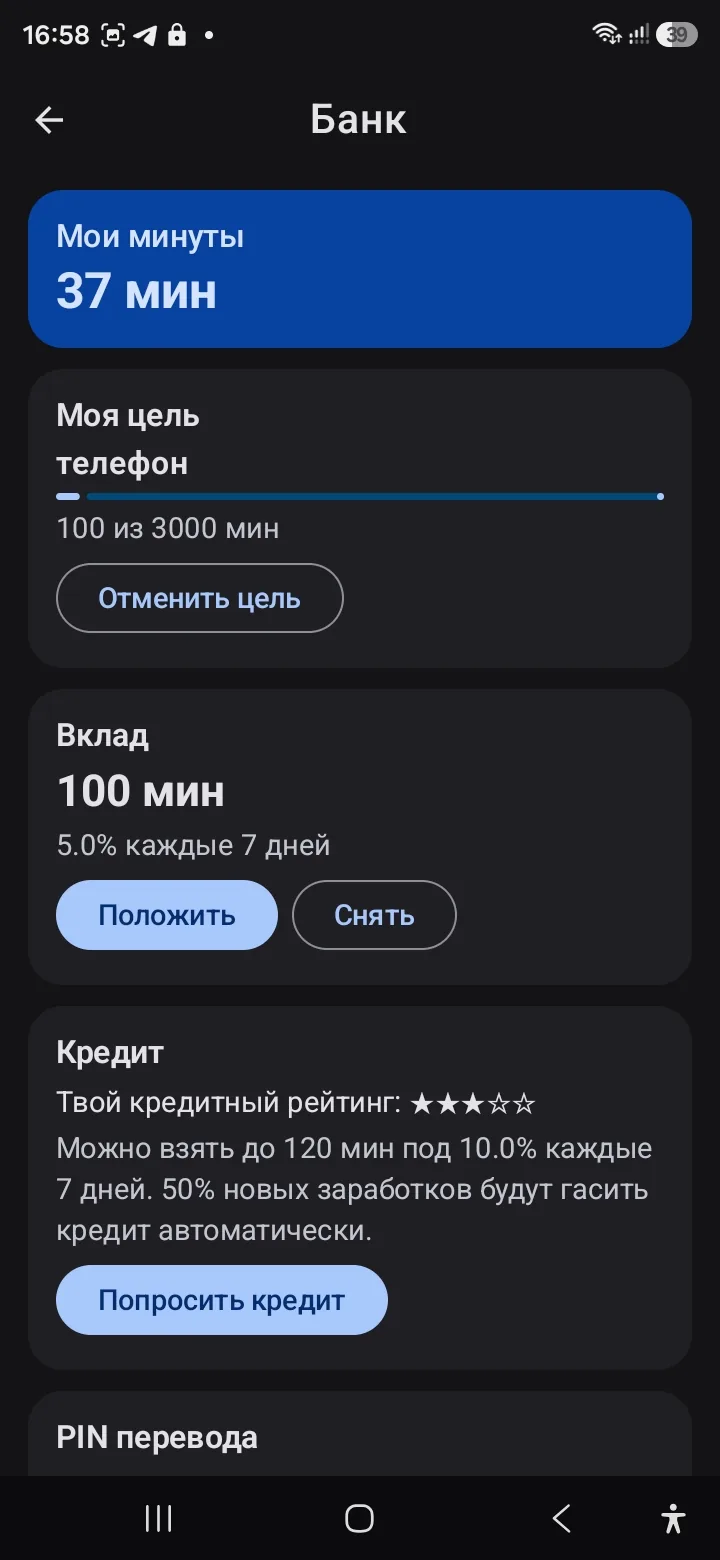
Family bank

Minutes can be saved toward a goal, put "on deposit" with interest or taken "on credit". Financial literacy in practice, with a credit rating and charts.

🧹

Chores and the privilege shop

The parent posts a task on the family board, the child does it and gets paid in minutes. And in the family shop the child decides what to spend them on.

🔒

Screen lock

The inlo app on the child's device locks the screen by schedule and limits. The lock screen shows the remaining minutes, the allowed apps and unlocking with earned minutes or the parent's PIN code. There is a version for Windows computers.

👨‍👩‍👧

Family accounts

The parent links the children, sets the rules and follows the progress - from the Family Track app or the web dashboard. Everyone has their own sign-in.

🌐

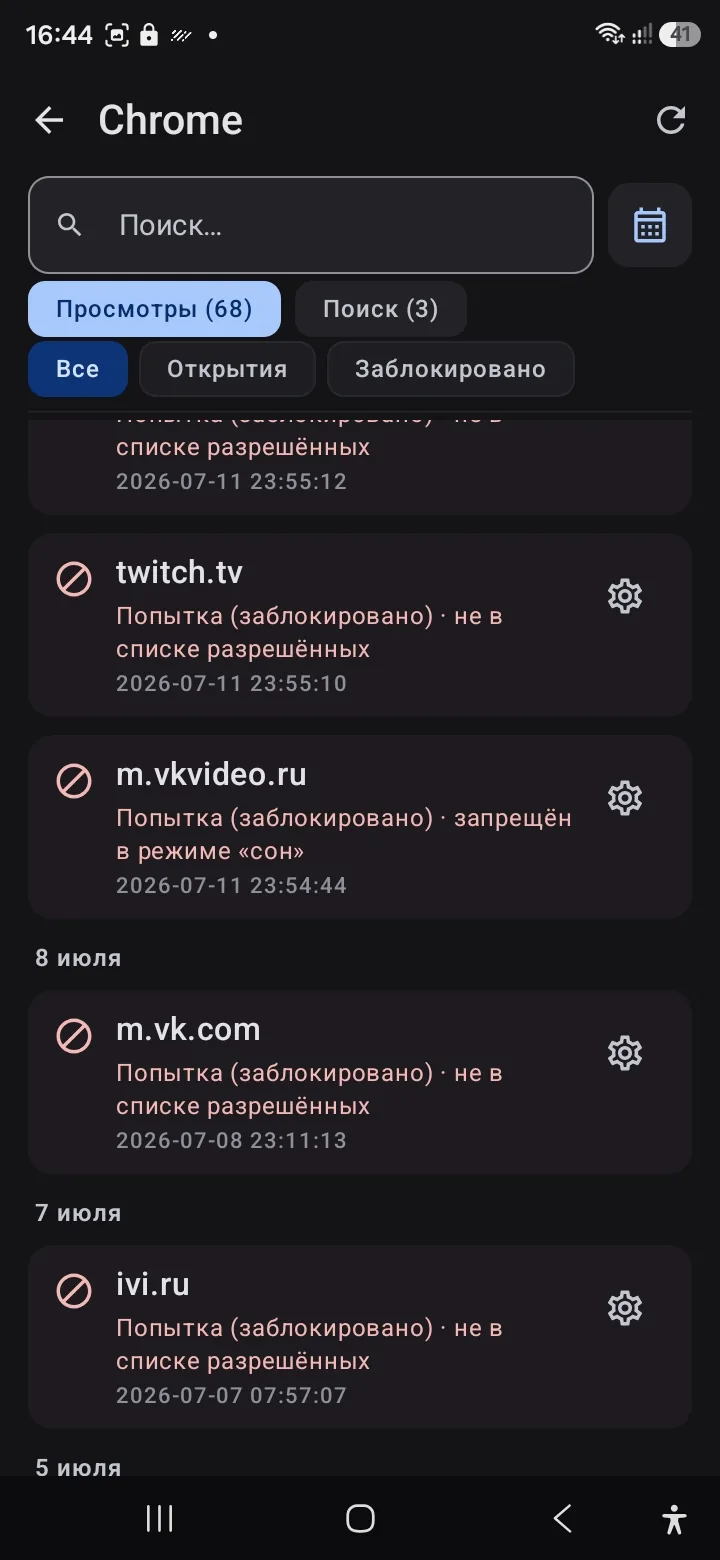
Browser and YouTube history

You can see which websites the child opens and which videos they watch - without reading private conversations. Unwanted websites can be blocked.

On a child's iPhone, history is available only for Safari in the version of inlo with the Safari extension: it has to be enabled and given access to websites. Chrome, Yandex Browser and other browsers on iPhone are not tracked. The type of the parent's phone does not affect this.

🛡️

AI screenshot control

The app can receive screenshots of the child's device and run an AI analysis: which app is open and whether there are potential risks.

🎧

Sound around (live)

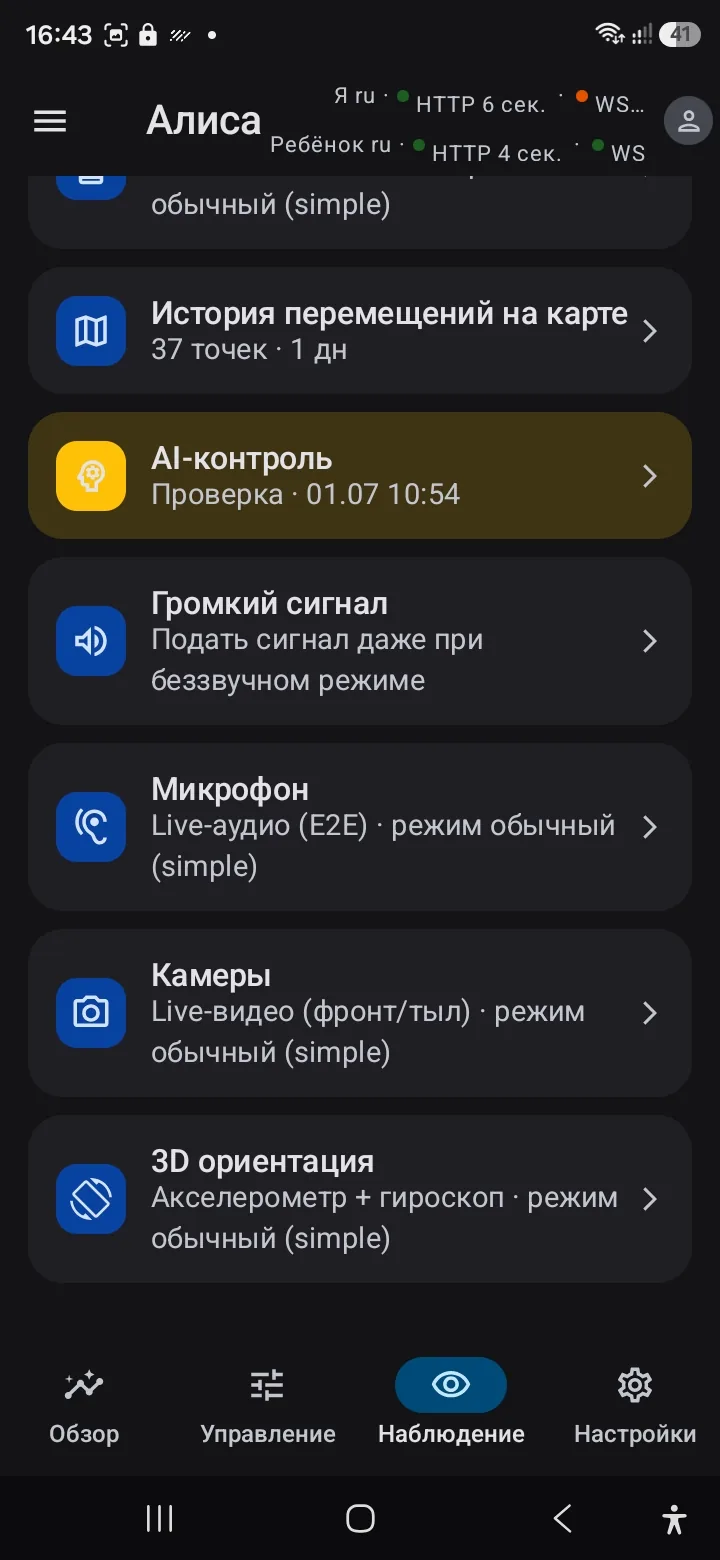
If needed, you can connect and hear what is happening near the child's device in real time (within the configured rules and access).

🖥️

What is on the child's screen

Viewing the current screen helps you quickly understand the context: which app is open and what the child is doing - without long chats and guesswork.

📷

Remote camera activation

In emergencies you can remotely turn on the phone's camera and see the image. Use this mode responsibly and only by agreement/within your rules.

🗺️

GPS track and history on the map

Route recording and a view of where the child has been: you can open the map and see the location at any point in time (within the data retention period).

🧷

Uninstall protection

inlo cannot be uninstalled without the parent's PIN: device administrator rights, PIN protection and an enhanced mode for the especially resourceful. If the child tries to get around the protection, the parent sees it.
Mobile apps

The parent has Family Track: overview, rules, monitoring and the AI log. The child has inlo: lessons, exercises, saved minutes and unlocking.

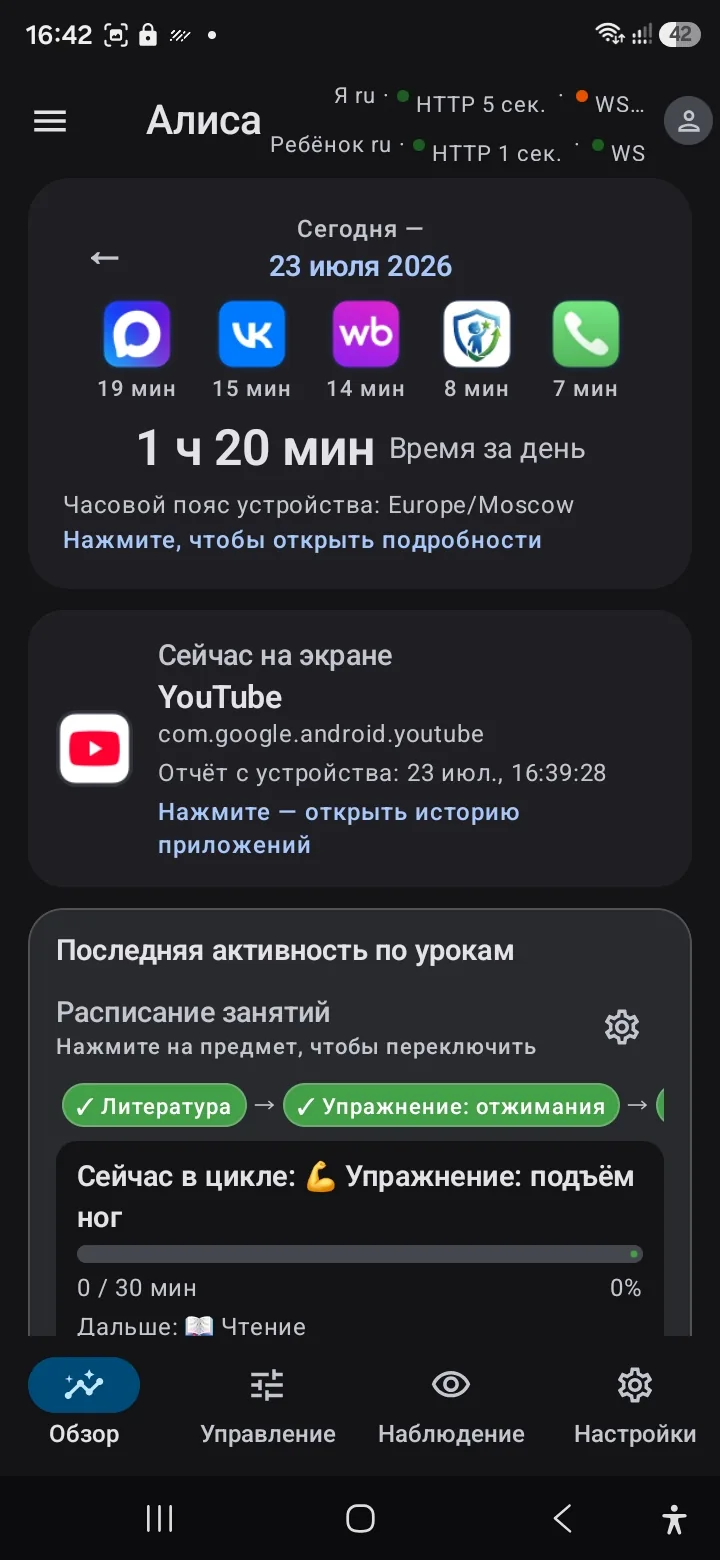
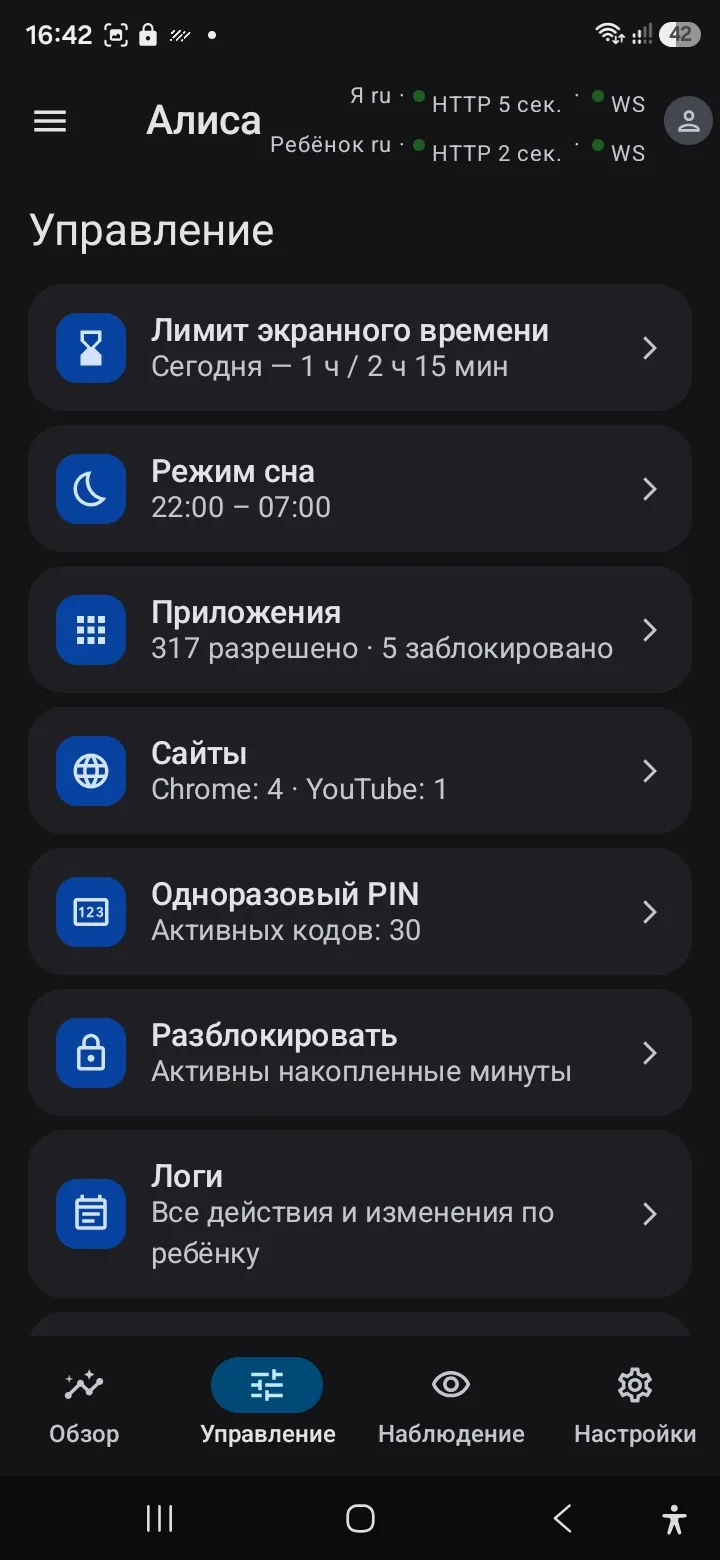
Overview, controls and monitoring

The Overview tab: app statistics and the lesson schedule
Overview of the day
The Controls tab: screen limit, sleep mode, apps and websites
Managing the rules
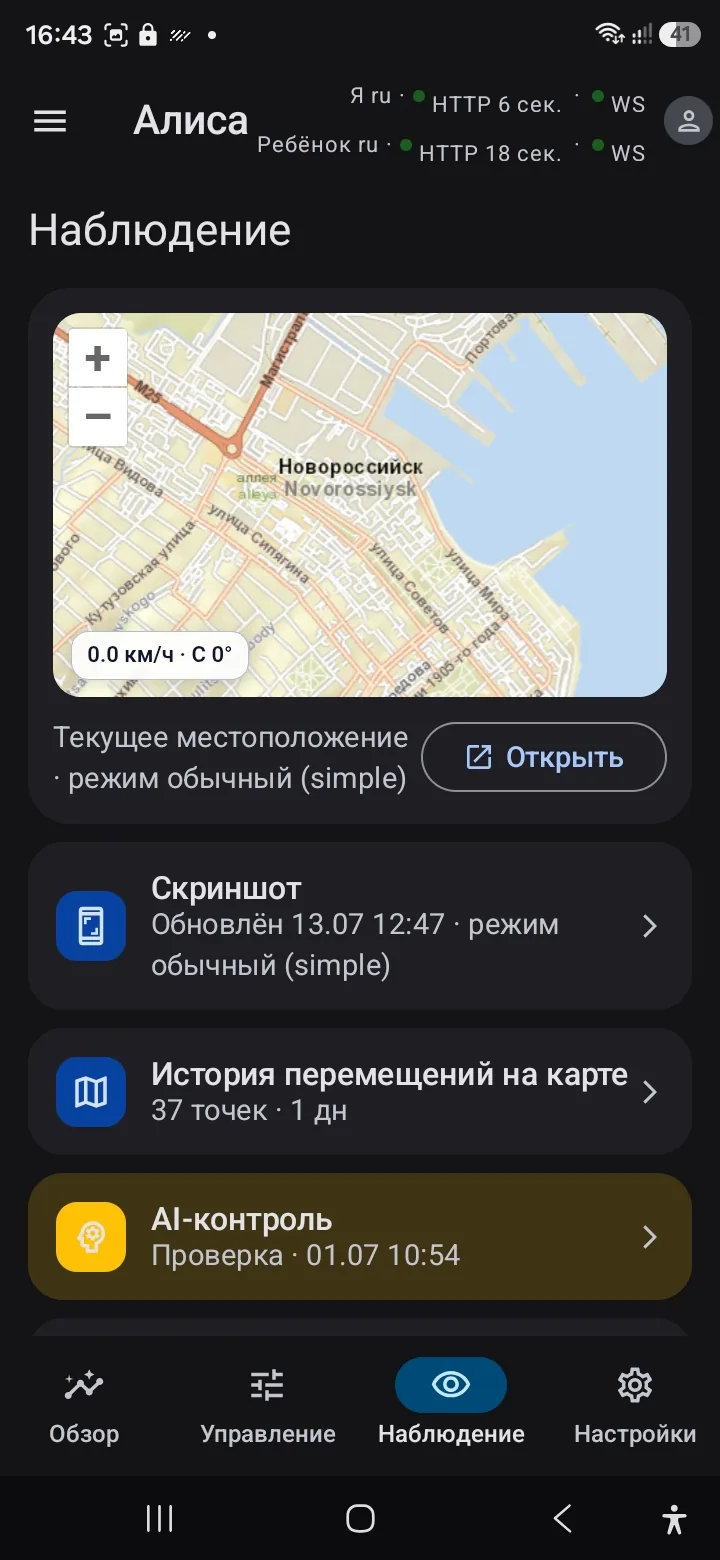
The Monitoring tab: a map with the current location
Map and monitoring

Monitoring and history

Monitoring tools: sound around, cameras, 3D orientation
Monitoring tools
The child's browser history in the parent app
Browser history

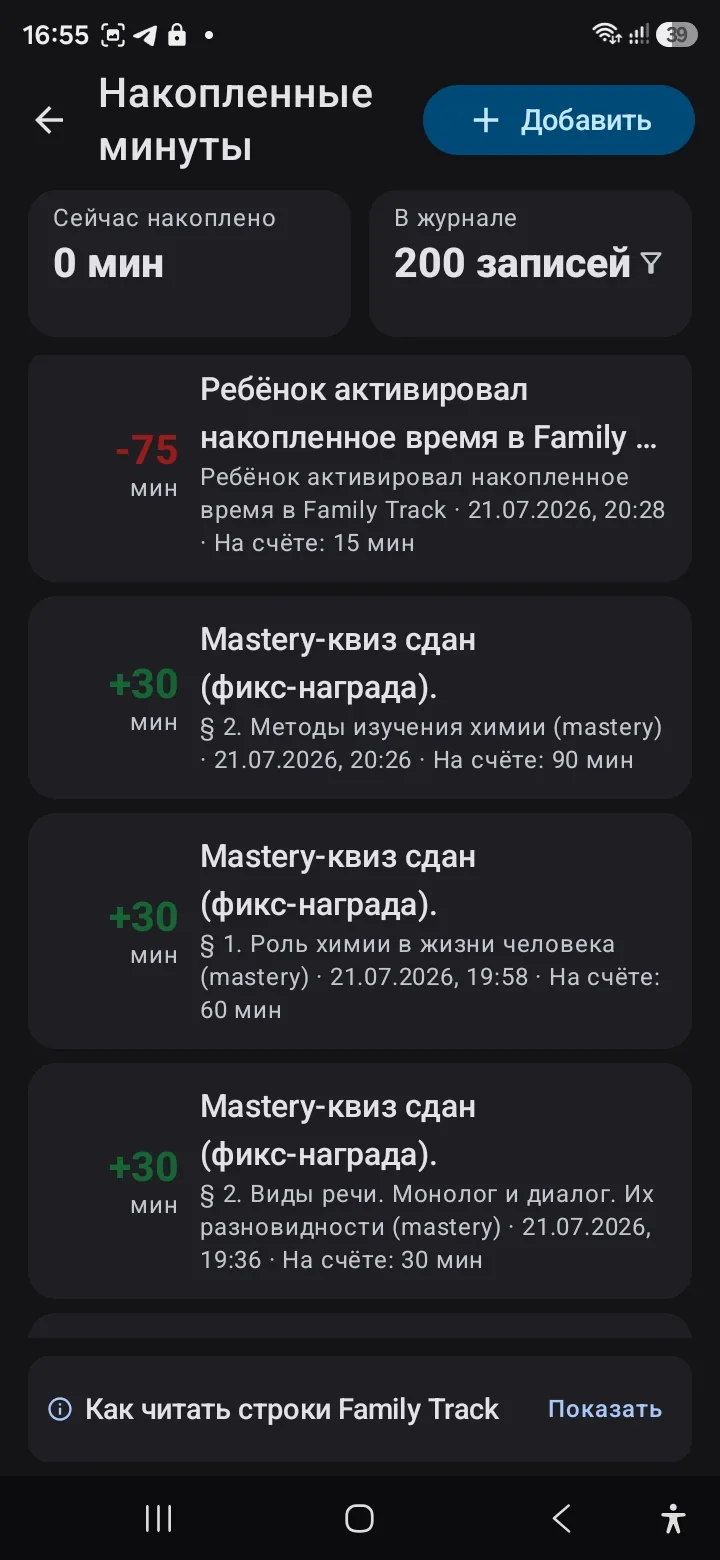
Minutes for lessons → screen time

Saved minutes: the log of credits for mastery tests
The parent's minutes log
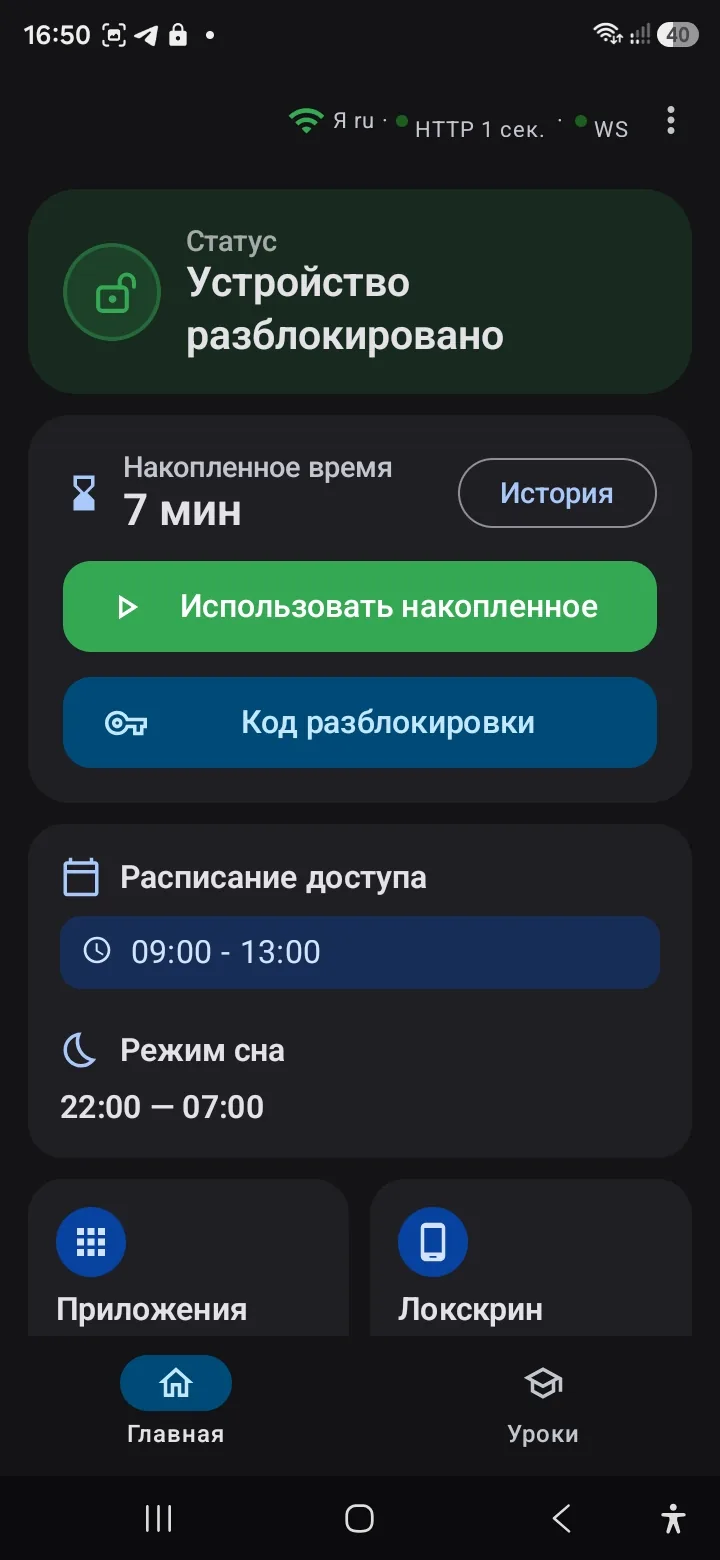
inlo on the child's phone: saved minutes and unlock buttons
inlo home screen for the child

Learning and sport on the child's device

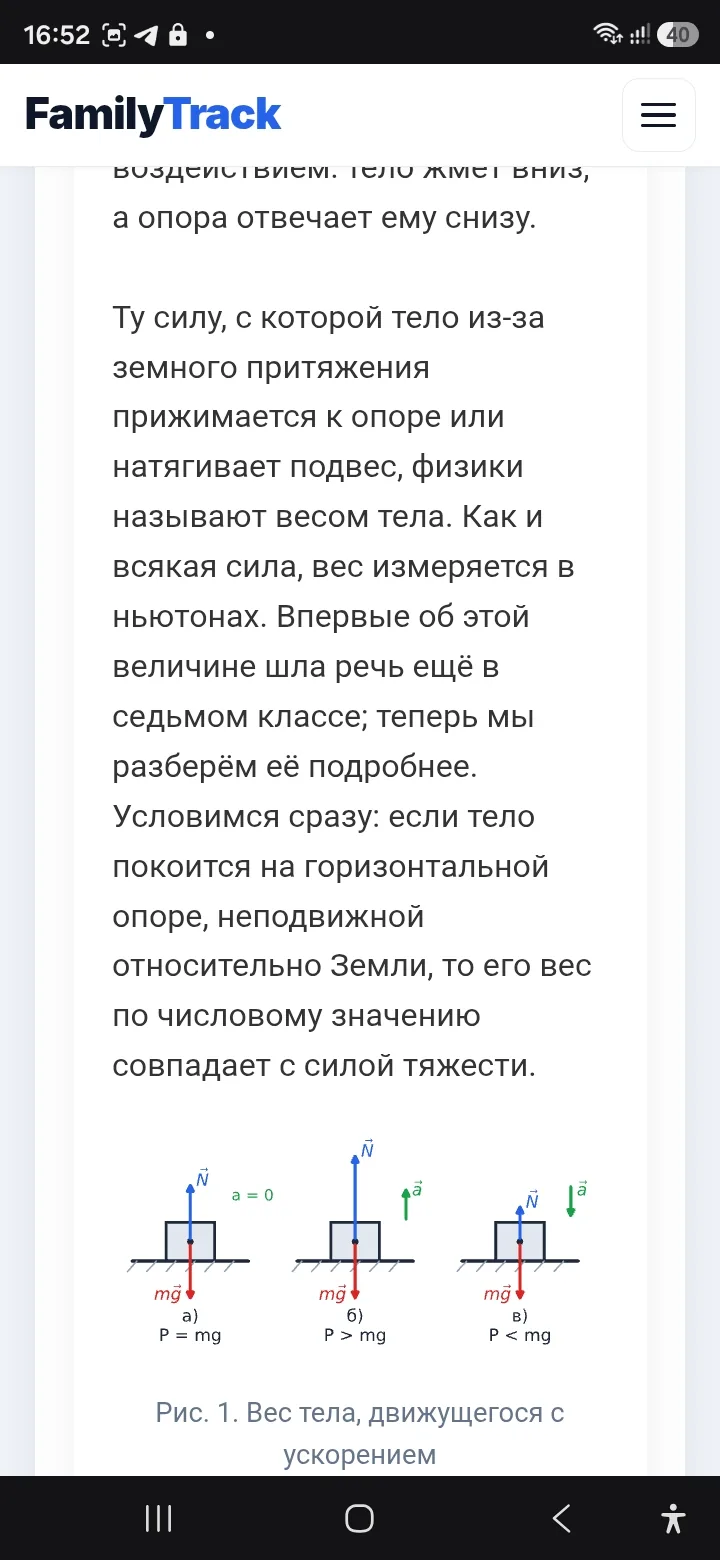
A school curriculum lesson: a textbook section
A textbook lesson
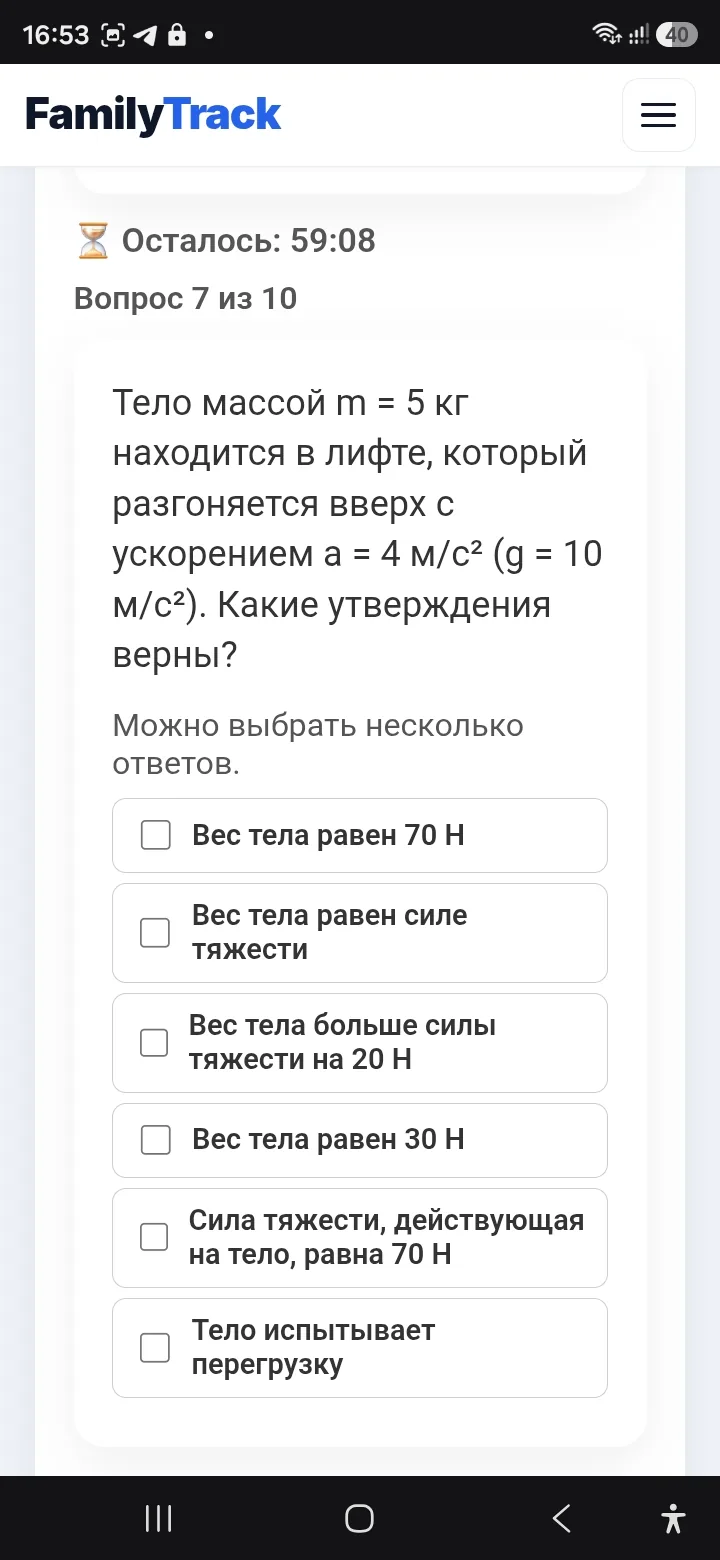
A mastery test on a section with answer options
A test on the section
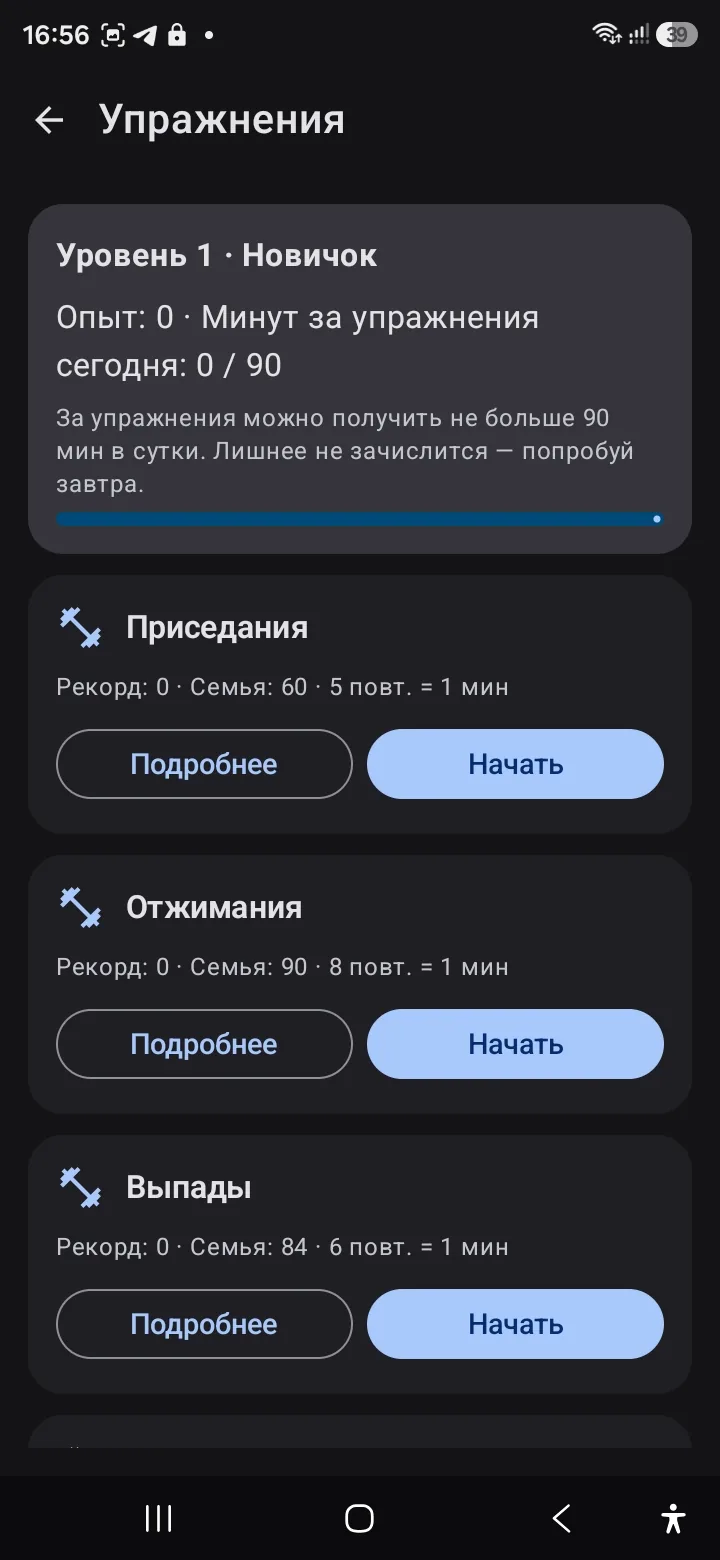
Physical exercises with a camera rep counter
Minutes for sport

Family bank

The family bank in the parent app: rules and rates
Bank rules for the parent
The family bank for the child: balance, deposit, goal
The bank for the child

AI safety

The Check details window with a neural network review of a screenshot
AI review of a screenshot
The AI control log with a dangerous event marked
Event log
💡

The main idea

Learning is not a punishment but the key to free time. When the rule is the same every day, the bargaining disappears. The child quickly understands: first the task, then the game.

Who makes it

My name is Konstantin Korolev, I am the developer of Family Track and a father. I made the app for my own children: I no longer wanted to take the phone away from them, I wanted them to earn the time on it by learning. That is why the minutes for lessons, reading aloud and exercises here are credited by the app, not by an adult.

Discussions of parenting situations and conversation are in our communities on VKontakte and Telegram.

Also available in: Русский Español Deutsch Français Italiano Português (Brasil) Polski Türkçe Bahasa Indonesia العربية हिन्दी